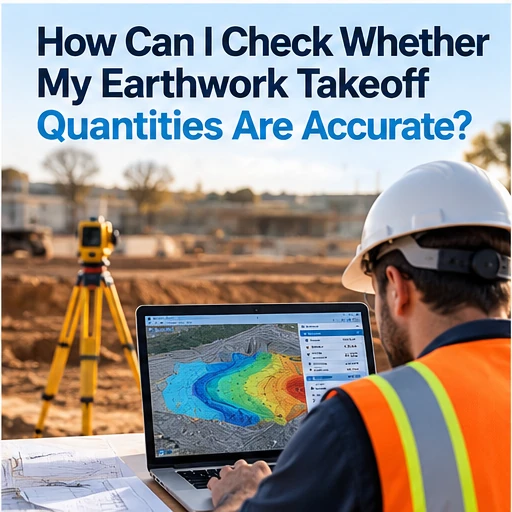
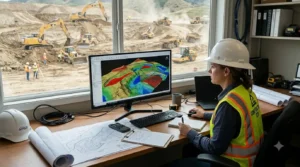
An earthwork takeoff can affect a project’s estimate, bid, schedule, and expected profit. If measurements are incomplete or based on an outdated drawing, the quantities may not represent the work shown in the plans.
Earthwork takeoff software can help contractors measure plans and organize quantities. Still, software results depend on the information entered and the project assumptions used. Estimators should review the drawing, inputs, calculations, and reports before relying on quantities in an estimate.
This guide explains how to check earthwork takeoff quantities and what to review when using excavation takeoff software for grading, excavation, and sitework projects.
Start with the correct plan set
Before reviewing any calculation, confirm that the takeoff uses the latest plans and addenda. A measurement can be accurate for an old drawing and still be wrong for the current project.
Check the drawing title, revision date, sheet number, and any related addenda. If the plans changed during the bid period, identify which areas or quantities may have been affected. Keep the current plan set easy to distinguish from earlier versions so the team does not compare results from different drawings.
For a multi-sheet project, also confirm that the takeoff uses the right sheets. Grading information may appear on separate civil, utility, or site plans. If the estimate covers more than one area, confirm that each relevant area is included.
Verify the plan scale and units
A takeoff depends on the drawing being measured at the correct scale. If the scale is wrong, measurements can look consistent while still producing incorrect quantities.
Check the scale against a known dimension printed on the plan. If the drawing contains a labeled distance, use that dimension to confirm the scale in the software. When using a digital plan, do not assume that the file opens at the correct scale automatically.
Review the units as well. Confirm whether the plan uses feet, inches, meters, or another unit, and check that the software uses the same system. Unit errors can affect area and volume calculations, so they should be checked before the estimator moves on to pricing.
Check the boundaries and measured areas
Review the boundaries used for each takeoff quantity. The measurement should follow the project scope and the drawing details. If the boundary is too wide, too narrow, or placed on the wrong feature, the quantity may not match the intended work.
Ask:
- Are all areas included in the scope?
- Are excluded areas left out?
- Do the marked boundaries follow the plan?
- Are separate phases or work zones measured separately?
- Are overlaps or duplicate areas present?
Some excavation estimating software can display measurements on the drawing or produce a marked-up report. Use those features to check how each quantity relates to the plan.
Review the elevation information
Cut-and-fill quantities depend on the elevation information used in the calculation. Estimators should review the existing and proposed grades shown on the plans and confirm the inputs match the intended surfaces.
If your project requires cut and fill calculation software, check which data it needs to calculate quantities. Confirm how the software represents the existing surface, proposed surface, and project boundaries. If anything is unclear in the drawings, record the assumption and ask for clarification through the appropriate project process.
Do not assume that two different calculation tools use the same inputs or method. Ask the provider how the calculation works and what the result represents.
Confirm calculation assumptions
Earthwork calculations may depend on assumptions about soil, material movement, stripping, or other project conditions. These assumptions can affect how a quantity should be interpreted and priced.
Keep a written record of the assumptions used in the estimate. If the project documents specify a method, follow that requirement. If they do not, make sure the estimator and reviewer understand which assumptions were applied.
An earthwork calculation software tool can support measurement and calculation, but it cannot determine every site condition from a drawing. Contractors may need additional project information, technical review, or clarification before they finalize quantities.
Compare key quantities with a second review
A second review is a practical way to find omissions or setup errors. Another estimator or reviewer can check a sample of measured areas, confirm the scale, and compare selected quantities with the plans.
For larger projects, review the main quantities that could significantly affect the estimate. The purpose is not only to recalculate every measurement. It is to check that the takeoff follows the drawing and uses consistent assumptions.
A reviewer can ask:
1. Does the takeoff use the correct plan revision? 2. Are the scale and units correct? 3. Are the measured boundaries consistent with the scope? 4. Are the key elevation inputs clear? 5. Do the totals appear reasonable for the project area? 6. Are assumptions and exclusions documented?
Use reports to support your review
Reports can make quantities easier to check, especially when they connect totals to the relevant plans or measurements. Depending on the product, reports may include quantity summaries, marked-up drawings, or visual outputs.
Review the actual report format before choosing software. Confirm that it presents the information your team needs and can be shared with people who review the estimate. If your company uses spreadsheets or another estimating system, check how the quantities can be transferred.
EarthWorks’ website describes plan imports, cut-and-fill calculations, 3D visualization, and project reports. Contractors should confirm the current calculation process and reporting options
directly with the provider before relying on them for a specific project. Review the EarthWorks overview. www.excavationsoftware.net
What to check during a software trial
If you are comparing earthwork estimating software, use a real plan during the trial. Test the complete workflow instead of relying only on a product demonstration.
Import a plan your team recognizes, confirm the scale, measure a few areas, review the calculations, and create a report. Then ask another team member to check the results. This can help you understand whether the software is easy to use and whether the outputs support your review process.
Also confirm which file formats the product supports. A tool may accept some PDFs or CAD files, while scanned drawings or different file versions may require additional steps. Check compatibility with the files your company receives.
Common reasons takeoff quantities may be wrong
Several issues can affect a takeoff, including:
- Using an outdated drawing
- Setting the wrong scale or units
- Missing a work area or measuring outside its boundary
- Entering incorrect elevation information
- Applying an assumption that does not match the bid documents
- Overlooking a plan revision
- Misreading a report or measurement total
A consistent review checklist helps catch these issues before quantities are used in a bid. It also helps the team explain how the estimate was prepared.