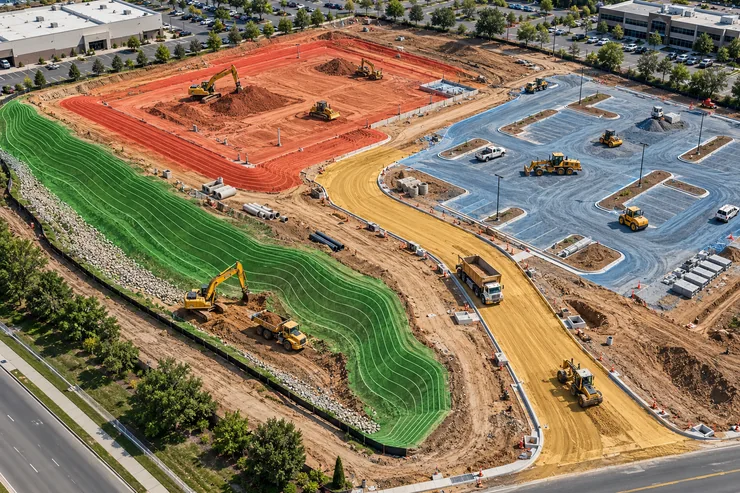
A commercial grading plan may show one site-wide cut number and one fill number. The work behind those totals can look very different across the property.
The building pad may need a deep cut. The parking area may need to be filled. The access road could have a tight working space. A slope along the site edge may need careful grading. If an estimator prices all four areas as one simple volume, the bid can miss how crews will perform the work.
Commercial dirt work estimating software helps contractors measure quantities from the plans. The estimator’s next job is to separate the areas, review their conditions, and give the pricing team a clear picture of each one.
Let’s walk through a commercial site and see how that approach works.
Why One Site-Wide Number Is Not Enough
Imagine a report that shows 9,000 cubic yards of cut and 8,500 cubic yards of fill. The difference is 500 cubic yards. Those totals tell you the scale of the grading design, but they do not tell you where the work sits.
A wide, open building pad may let equipment work in a steady pattern. A narrow access road may require a different sequence. Fill in a parking area may come from another part of the site, if the material meets the project requirements.
Keep the site-wide figures for a final check. Build the estimate from useful work areas so the team can see what drives the job.
EarthWorksOS describes cut and fill calculations, 3D visualization, and reports on its software overview page. Those outputs can support an area-by-area review. The contractor still decides how to price the work. www.excavationsoftware.net
Start by Marking Four Work Areas
For this example, divide the commercial site into a building pad, parking area, access road, and boundary slope. Your real project may need different areas. Choose sections that help the team understand the work and review the plans.
Mark the limits of each area on the current drawings. Check the drawing index and addenda first. An estimator should not mix a revised road profile with an older grading sheet without noticing the difference.
Then ask what the bid scope includes. The access road may connect to work outside the property. The boundary slope may continue into a later phase. Record any unclear limit before it becomes part of a quantity.
A plan-based review gives commercial dirt work estimating software a defined area to measure. It also gives another person a way to check the resulting report.
For more on identifying the right plan inputs, see our guide to excavation estimating from plans to bid.
Area 1: The Building Pad
A building pad often stands out on the grading plan because its proposed elevation stays consistent across a defined area. That does not make its takeoff automatic.
Check the existing ground levels across the pad. Then confirm the proposed elevation and pad limits. Look for details that affect excavation or fill near the edges.
If the existing ground rises across the pad, one side may need more cut than the other. A single average depth can hide that change. A surface-based calculation helps the estimator review how the design varies across the area.
The pad may also have material requirements that differ from general site grading. Read the specifications and available soil information before assuming that material from another cut area can meet the pad fill requirement.
Area 2: The Parking Lot
Parking areas may cover a large part of a commercial site. A small change in proposed grade across that area can affect a large volume.
Check the grading sheet and any related details. Note where the parking area meets the building, access road, and site boundary. These transitions can create unusual cut or fill areas.
Autodesk’s cut and fill analysis tutorial shows how comparing ground surfaces produces the volume result. When a designer changes the proposed surface, the estimator should recalculate the affected area. www.autodesk.com
Keep parking cut and fill separate from pad quantities. The team may need to move material between them, but their locations and work requirements still matter to the price.
Area 3: The Access Road
An access road can look small compared with a pad or parking lot. Its working conditions may make it important in the estimate.
Read the road profile as well as the plan view. The profile may show a grade change that is hard to judge from the road outline alone. Check the connection to an existing road and confirm where your contract work ends.
Think about equipment access too. A narrow road corridor may limit where trucks can turn or where crews can place material during the work. The takeoff gives a volume; the site review helps the team plan how to handle it.
Do not assume that the road uses the same production approach as an open pad. Ask the operations team to review any difficult access or sequencing issue before the pricing team settles on a rate.
Area 4: The Boundary Slope
A slope near a property line can cause confusion about both quantity and scope. The drawing may show a smooth design transition, while the contract boundary cuts through the area.
Mark the work limit carefully. Check sections or details that explain the proposed shape. If the slope continues into a future phase, confirm how much belongs in the current bid.
A slope may also produce a large quantity over a long, narrow area. Review it visually instead of trusting only its share of the total. If the volume looks unexpected, check the existing elevation, proposed elevation, and boundary.
This is one reason to keep area reports. A reviewer can investigate the slope without reopening every part of the site takeoff.
A Worked Example: Same Site, Different Work
The following quantities are illustrative:
The difference is 2,300 cubic yards more cut. That does not mean the contractor can simply remove 2,300 cubic yards and treat the rest as balanced.
The parking area needs more fill than it produces in cut. The pad produces substantial cut. The estimator must check whether that material is suitable and whether the team can move it where needed. Meanwhile, the slope still has an open scope question.
| Work area | Cut | Fill | Main review question |
|---|
| Building pad | 4,000 cubic yards | 500 cubic yards | Can cut material meet the required fill specification? |
| Parking area | 1,200 cubic yards | 3,400 cubic yards | Where will suitable fill come from? |
| Access road | 1,000 cubic yards | 500 cubic yards | How will limited access affect the work? |
| Boundary slope | 800 cubic yards | 300 cubic yards | Does the full slope belong in this phase? |
| Total | 7,000 cubic yards | 4,700 cubic yards | Review material movement and scope |
A site-wide total would not show these issues as clearly. An area-by-area estimate gives the team specific decisions to make before it prices the job.
Keep the Material Plan Separate From the Measured Volume
Price the Areas With Their Conditions in Mind
After the quantity review, the pricing team can look at each area’s work method. A pad may offer open access. A road corridor may restrict equipment. A slope may require a different sequence from either one.
Keep the measured quantity and the pricing assumption visible beside each other. If the estimate changes, the team can see whether a revised plan changed the volume or a site condition changed the expected effort.
Commercial dirt work estimating software supports the quantity side of this process. Do not assume that a takeoff tool automatically selects equipment, sets labor rates, or produces the final price. Check the features of the product you use and let experienced estimators make the job-specific decisions.
For a deeper explanation of the step from volumes to costs, read our guide to cut and fill estimation.
Update Only What the Revised Plan Changes
Suppose an addendum raises the parking grade. Recalculate the parking area and check any transition into the road or pad. Keep the earlier report so the team can compare results.
Record the changed cut and fill quantities. Then tell the pricing team which work areas need review. An area-by-area structure helps here: the team can focus on the revised work without losing track of the site total.
Before submission, check that the totals from all areas match the approved report. Make sure the cost sheet uses the same drawing version.
Frequently Asked Questions
Conclusion
A commercial site is rarely one uniform dirt-moving task. The building pad, parking area, access road, and boundary slope each deserve a clear look.
Commercial dirt work estimating software helps contractors measure those areas and review the totals. The estimator adds the context: current plans, correct work limits, material assumptions, and the conditions crews will face. Give the pricing team both the numbers and that context, and it can build an estimate around the actual work.