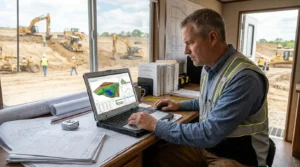
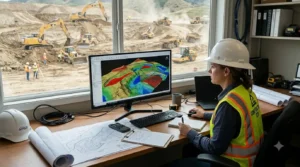
Grading estimates depend on understanding the difference between existing ground and proposed elevations. If those quantities are misunderstood, the estimate may not reflect the work shown in the plans. For contractors bidding on site development, grading, or excavation projects, choosing suitable cut-and-fill software can make calculations easier to review and explain.
However, no single feature tells you whether a product is the right fit. The best cut and fill software for contractors should work with the plans your team receives, show how quantities are calculated, and produce outputs that support your estimating process.
This guide explains what grading and earthwork contractors should compare before selecting cut and fill calculation software.
Understand what the project requires
Start by reviewing the types of grading projects your company estimates. A small site preparation job may require a different workflow from a large commercial grading project or a mass grading plan.
List the information your estimators usually need to calculate, such as:
- Existing and proposed elevations
- Areas requiring cut or fill
- Grading boundaries
- Stripping or subgrade quantities, where applicable
- Material balance requirements
- Reports or marked-up plans for estimate review
The software should support the calculations your project needs. Ask the provider to explain which features are included and what project information must be entered by the estimator.
Check how the software handles plans
Cut-and-fill work starts with plan information. Before choosing grading and excavation software, confirm that it supports the files your team receives. Contractors may work from PDF plans, CAD drawings, TIFF files, or scanned documents.
Ask how the software handles:
- Plan scale and measurement setup
- Existing and proposed grade information
- Drawing revisions
- Areas or boundaries that need to be marked
- Importing the file formats used by your team
Test the product with a representative plan. A demo using a clean sample drawing may not show how the workflow performs with the files you actually receive.
Compare the calculation workflow
When comparing cut and fill estimation software, look at how the estimator moves from the plan to the final quantities. The calculation process should be clear enough for the estimator to check inputs, identify assumptions, and review the results.
Ask the provider:
- What data does the calculation require?
- How are existing and proposed surfaces represented?
- Can the estimator review the measured areas?
- What options are available for editing or correcting inputs?
- How are cut, fill, and net quantities shown?
A product described as earthwork calculation software may focus on one part of the process. Confirm whether it supports the full workflow your company needs, or whether you will still use spreadsheets or other programs for some calculations.
Review the visualization tools
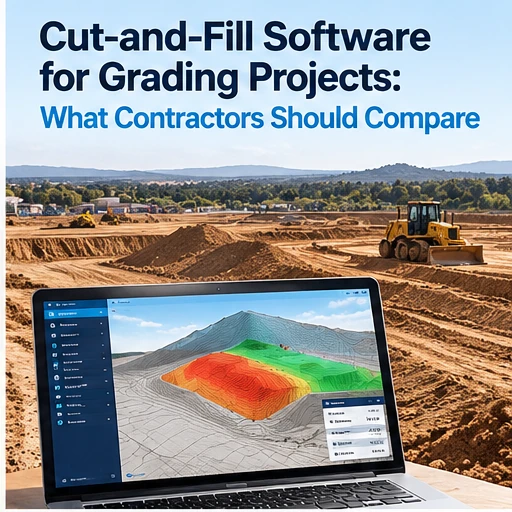
Visual displays can help estimators understand how a proposed site relates to the plans. If you are comparing grading software for contractors, ask what the 2D or 3D views show and whether they help your team review the estimate.
A useful visualization may make it easier to see where a quantity came from or discuss a project with colleagues. However, the view should be treated as one part of the review process. The estimator still needs to check the drawing, inputs, and calculation assumptions.
If a product advertises excavation estimating software with 3D visualization, request a demonstration using a grading plan similar to your work. Confirm whether the visualization is included in the license and what files or inputs are needed to create it.
Check reports and estimate documentation
The output matters as much as the calculation. Ask what reports the software creates and whether they support your estimating process.
Depending on the product, reports might include quantity summaries, annotated drawings, cross-sections, or graphical views. Verify which outputs are actually available and whether they can be shared in the formats your team uses.
A strong report can help an estimator explain the basis of a quantity review to a project manager or client. It may also help your team compare an estimate with a revised plan. During a product trial, create a report and check whether its information is clear and useful.
Match the tool to the type of grading work
Not all grading projects have the same requirements. A contractor working on mass grading may need to review larger areas and more complex plan information. A pond excavation project may involve different boundaries and quantity questions. A sitework contractor may also need to coordinate grading quantities with other parts of the estimate.
When evaluating best grading software for contractors, create a short list of your most common project types. Then ask the provider to show how the software supports those tasks.
For example, if your company bids mass grading, test a mass grading plan. If you estimate pond excavation projects, test the workflow with an example that resembles those plans. This can help you see whether the software is useful for your work rather than merely seeing generic features.
Compare integration with your estimating process
Some contractors use dedicated takeoff tools alongside spreadsheets, cost databases, or separate estimating systems. Others need the takeoff software to provide reports that can be transferred into their existing process.
Before buying, map how quantities move through your company:
1. The estimator receives the plans. 2. Quantities are measured and reviewed. 3. Pricing assumptions are added.
4. The estimate is checked. 5. The bid is prepared and submitted.
Ask where the software fits into that process. Does it provide the outputs your team needs? Can data be exported? Will estimators still need to re-enter quantities elsewhere? These questions can help you determine whether the product is a good fit as sitework takeoff software or whether additional tools are needed.
Consider training, support, and system requirements
A new tool is only useful if the team can adopt it. Ask whether the provider offers product training, tutorials, onboarding, or customer support. Find out whether support is included and how your team can contact the provider.
Check system requirements, too. If your company is considering Windows excavation estimating software or desktop software, confirm that it works with the computers your estimators use. Ask whether the product requires a particular operating system, processor, or amount of memory.
EarthWorks’ website describes cut-and-fill calculations, plan imports, 3D visualization, and project reporting. Contractors should confirm how these features work for their plans and project types before choosing the software. See the EarthWorks overview. www.excavationsoftware.net
Use a side-by-side comparison
Compare products using the same questions:
| What to compare | Questions to ask |
|---|
| Plan compatibility | Does it support your common file formats? |
| Calculation process | Are inputs and quantities easy to review? |
| Grading needs | Does it suit your typical project types? |
| Visualization | Do the available views help your team? |
| Reports | Can the outputs support estimate review? |
| Training | Can estimators learn the workflow efficiently? |
| Support | What help is available after purchase? |
| Cost | What is included, and what costs extra? |
This makes it easier to compare cut and fill estimating software fairly and focus on the workflow that matters to your team.