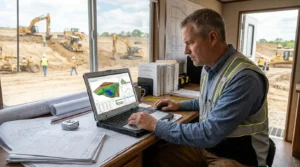
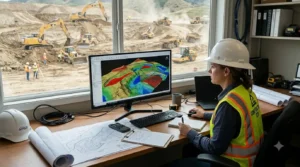
When contractors look for earthwork takeoff software, they may expect it to do everything from measuring plans to creating a complete bid. However, software products can support different parts of the estimating process. Some focus on quantities, while others include pricing, cost calculations, proposal documents, or bid tracking.
Before choosing excavation bidding software, find out exactly what the product does. A takeoff can provide useful quantities, but those quantities may still need to be priced and organized using another system.
This guide explains the difference between takeoff, estimating, and bidding tools, along with questions excavation contractors should ask before choosing software.
What does earthwork takeoff software do
A takeoff tool helps an estimator measure quantities from plans. Depending on the product, this may include areas, lengths, volumes, or cut-and-fill quantities. The software can help organize those measurements and may provide reports for review.
For example, an estimator may use excavation takeoff software to measure areas shown in a plan and prepare quantity totals. Those totals can then become inputs to the company’s estimate.
A takeoff is one part of bid preparation. It does not automatically mean the software calculates every cost or creates the final bid package.
What does estimating software add
Estimating software may help a contractor apply costs to measured quantities. Depending on the product, it could support labor, equipment, material pricing, overhead, or other cost details.
The features vary. Some products may focus on quantity measurement, while others may provide a broader estimating workflow. Ask the provider to explain which costs the software can handle and what information your team needs to enter.
When comparing excavation estimating software, confirm whether it can:
- Store or apply unit costs
- Include labor or equipment costs
- Organize cost categories
- Calculate totals or margins
- Export quantities to another estimating system
If a product does not provide those capabilities, you may still be able to use it for the takeoff and complete the estimate elsewhere.
What does bidding software add
Earthwork bidding software may support some of the steps required to prepare or manage a bid. Depending on the tool, it might help organize pricing, build bid documents, track opportunities, or manage submissions.
However, “bidding software” can mean different things. A product may help prepare quantities without creating a proposal or managing a bid calendar. Another may include bid forms but require a separate takeoff tool.
If you are comparing bidding software for excavation contractors, ask the provider to demonstrate the full process you expect to use. Start with the plan, then follow the workflow through quantity review, pricing, proposal preparation, and bid submission.
Map your current bid workflow
Before buying software, write down how your company prepares a bid today. This helps identify which steps need support and which tools you already use.
A typical process may include:
1. Receiving the invitation to bid and project documents 2. Reviewing plans and specifications 3. Measuring quantities 4. Checking assumptions and scope 5. Applying labor, equipment, and material costs 6. Reviewing the estimate internally 7. Preparing the proposal or bid form 8. Submitting the bid and tracking follow-up
Then mark which steps are handled by a takeoff tool, an estimating system, a spreadsheet, or a person on your team. This gives you a practical way to compare software instead of relying on product labels.
Questions to ask before buying
Ask each provider:
- Does the product calculate quantities only, or does it also price them?
- Can I include labor, equipment, material, and other costs?
- Does it produce a proposal or bid document?
- Can it export takeoff quantities into my current estimating tool?
- Can the software track bid deadlines or submission status?
- What happens when plans change during the bid period?
- Which file formats can I import?
- What training and support are included?
A live demonstration can help answer these questions. Ask the provider to show the exact steps, not just a selection of features. If possible, test the workflow with a project plan your team understands.
How takeoff reports fit into a bid
Even when software does not prepare the complete bid, its reports may support estimate review. A report can show the quantities used, help another estimator check measurements, or provide a record of the takeoff.
Before selecting earthwork estimating software, review the available reports. Find out whether they include quantity summaries, plan markups, or visual outputs, and whether they can be shared or exported.
A report supports the estimating process, but it does not replace the contractor’s responsibility to check scope, costs, exclusions, and bid requirements.
Plan for revisions and addenda
Bid documents can change before the deadline. When a revised plan arrives, the team needs to know which quantities may be affected and whether the estimate reflects the current documents.
Ask whether the software helps organize revisions or whether your company will need a separate process. Whatever tool you choose, record the plan version used for the takeoff and note how addenda or clarifications affect the estimate.
This is especially helpful when several people are working on the bid. Everyone should know which quantities have been updated and which plan set is current.
Check what the product actually promises
A product’s name or marketing description does not always tell you whether it prepares complete bids. Read the feature information and ask the provider to clarify anything that is unclear.
EarthWorks’ website presents its product as excavation estimating software and describes plan imports, cut-and-fill calculations, 3D visualization, and project reporting. Contractors should confirm directly whether the current product also supports their pricing, proposal, and bid-management needs. See the EarthWorks overview .