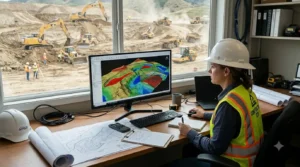
Preparing an excavation bid starts with understanding the project plans. Contractors need to identify the work, measure relevant quantities, review the scope, and apply the assumptions used to price the job. If quantities are difficult to check or plan revisions are missed, the final bid may not match the work shown in the drawings.
Digital takeoffs can help excavation and earthwork contractors organize plan measurements before pricing an estimate. Excavation bidding software and earthwork bidding software may support parts of this process, but contractors should confirm what each product actually does. Some tools focus on measuring quantities; others may provide additional estimating or reporting features.
This guide outlines a practical bid preparation workflow using digital quantity takeoffs.
1. Review the bid documents first
Before opening your takeoff tool, review the documents included with the bid request. Identify the project scope, due date, plan set, specifications, addenda, and instructions for submitting the estimate.
Make note of:
- Which drawings relate to excavation and grading
- The revision dates on the plans
- Scope inclusions and exclusions
- Required bid forms or schedules
- Questions that need clarification
A digital tool can organize measurements, but it cannot determine whether you have the correct drawing set or understand the contract requirements. Confirm the latest documents before beginning the takeoff.
2. Import and organize the plans
The next step is to prepare the drawings for measurement. Excavation takeoff software may support PDF or CAD plans, while some products also accept other formats. Check the provider’s supported file types before starting.
Organize the files so estimators can identify the plan name and revision. If a drawing is replaced, make sure the team knows which version is being used for the bid.
If you use excavation software for PDF plans, test the scale and measurement setup before measuring. For CAD or AutoCAD files, confirm that the format and version are supported. Contractors should avoid assuming that every software product can import every type of plan.
3. Measure the quantities related to the scope
Once the plan is set up, identify the areas and quantities required for the bid. Depending on the project, this may involve excavation areas, grading quantities, cut and fill, or other sitework measurements.
A dirt takeoff software workflow can help estimators record measurements from the plan and review the quantities before pricing. If the project includes grading calculations, ask whether the tool supports the cut and fill calculation software features your team needs.
As you measure, keep the takeoff tied to the project scope. Avoid measuring items that are outside your company’s responsibility unless the bid documents ask you to include them. If the scope is unclear, record the question and seek clarification through the proper bid process.
4. Review quantities before applying pricing
Before adding rates, check the measurements. A second review can help catch omitted areas, scale errors, or confusion between plan revisions.
The estimator can ask:
- Are all relevant areas represented?
- Do the measurements match the current drawings?
- Are any assumptions or exclusions recorded?
- Have changed plan areas been reviewed?
- Are the outputs clear to another reviewer?
Earthwork takeoff software can make it easier to review measured quantities, but estimates still depend on human judgment and project-specific assumptions. Use the software’s reports or marked-up drawings, if available, to support internal checks.
5. Apply estimate assumptions and costs
After checking quantities, apply the pricing method your company uses. Depending on the business, that may include labor, equipment, materials, hauling, subcontractor costs, overhead, and profit.
A takeoff tool may not include a full cost-estimating or bid-management workflow. Before selecting bidding software for excavation contractors, confirm whether it handles pricing and bid documents or whether your team must use a separate system.
Keep the assumptions connected to the estimate. For example, note the source of pricing information and any project conditions that could affect the work. A clear record can help your team understand how the bid was prepared.
6. Prepare a clear bid package
The bid should make it easy for the client or general contractor to understand what your company is offering. Follow the bid instructions and include the requested forms, pricing schedules, scope details, exclusions, and supporting documentation.
Some earthwork bidding software may help organize quantities or produce reports. Verify the outputs available in the product and make sure the final package follows the client’s instructions.
Before submission, check:
- The bid amount and pricing schedule
- Scope inclusions and exclusions
- Required forms and signatures
- The bid deadline and submission method
- Whether the documents match the latest plan set
7. Keep track of revisions and clarifications
Plans may change during the bid period. When a revised drawing or addendum arrives, identify what changed and review affected quantities. Do not assume that an earlier takeoff remains accurate after a revision.
A digital workflow can help the estimating team keep project files and measurements organized. Ask whether the software makes revisions easy to review and whether updated reports can be created. If the product does not track changes automatically, keep a separate record of the revised documents and affected estimate items.
This is especially important when multiple people are involved in preparing or reviewing a bid. The team should know which plan version is current and what changes have been included in the estimate.
What to compare in excavation bidding software
When comparing excavation bidding software, separate takeoff features from full bid-management capabilities. Use these questions:
| Feature | What to confirm |
|---|
| Plan imports | Which PDF, CAD, or other formats are supported? |
| Quantity takeoffs | What can estimators measure and review? |
| Cut and fill | What calculation features are included? |
| Reports | What outputs can be shared or exported? |
| Pricing | Does the tool support cost estimates or only quantities? |
| Revisions | How does the workflow handle updated plans? |
| Training | What help is available for new users? |
| Support | How can the team get assistance? |
EarthWorks’ website describes plan imports, takeoff-related features, cut-and-fill calculations, and project reporting. Contractors should confirm the current product capabilities and whether they fit their full bid workflow. Review the EarthWorks overview .