Small excavation contractors often work with a lean team. The same people may review plans, measure quantities, prepare estimates, coordinate equipment, and follow up on bids. When several projects arrive at once, manual takeoffs can take time away from other important work.
The right excavation software for small contractors can make quantity takeoffs easier to organize and review. However, the best tool is not necessarily the one with the longest feature list. It should suit the projects you estimate, the plans you receive, and the way your team works.
Before choosing excavation estimating software for a small business, consider these practical questions: Is it easy to learn? Can it handle your plans? Are its calculations clear? Does the price fit your budget? This guide explains what to look for when comparing takeoff software.
Start with your estimating needs
Before reviewing software, list the work your company regularly estimates. Some contractors focus on excavation and grading. Others also handle site preparation, land development, or civil projects. The type and size of your jobs affect the features you need.
Consider:
- The project types you bid most often
- The plan formats you receive
- The quantities you regularly measure
- The reports clients or general contractors request
- The number of people who prepare or review estimates
A company estimating smaller projects may need a simple, reliable way to measure plans and organize quantities. A team working on more complex jobs may need additional calculation or
visualization tools. This helps you focus on the best excavation takeoff software for your needs instead of paying for functions you may not use.
Look for an easy-to-learn workflow
Small teams rarely have time for a long onboarding process. Look for easy-to-use excavation software that lets an estimator move through the basic steps without unnecessary complexity.
During a product demonstration, ask the provider to show how to:
1. Open a project plan 2. Set or verify its scale 3. Measure areas or other quantities 4. Review and correct measurements 5. Save or share the results
The demonstration should show the actual workflow, not just a list of features. If possible, ask to test the software using a plan similar to one your company regularly receives.
For new estimators, simple excavation takeoff software may help reduce the learning curve. Clear menus, useful training material, and visible measurements can make it easier for a small team to adopt a new process.
Check the plans and files it supports
Contractors may receive drawings in PDF, CAD, TIFF, or scanned formats. Before choosing excavation software for PDF plans or excavation software for CAD plans, confirm that the specific product supports the file types your team needs.
If you use AutoCAD drawings, ask which AutoCAD file formats are supported. If you receive scanned plans, check whether they can be imported and whether estimators need to trace or adjust the drawing manually.
A file-format list does not tell the whole story. Test the software with your own plans, since drawing quality, scale, and revisions can affect the workflow. Confirm that estimators can identify the drawing being measured and review changes when an updated plan arrives.
Understand the takeoff and calculation features
The term excavation takeoff software can describe products with different capabilities. Some tools focus mainly on digital measurement. Others may also support cut-and-fill calculations, sitework quantities, or visual reports.
Ask the provider:
- What kinds of quantities can the software measure?
- How are measurements connected to the drawing?
- Can an estimator edit or correct a takeoff?
- Does it support the cut-and-fill work your projects require?
- What does the software include in its reports?
If your company handles grading and site preparation, compare the sitework takeoff software features with the work your team performs. Confirm the calculation methods and outputs rather than assuming that a product handles every kind of earthwork estimate.
Compare reports and sharing options
A takeoff is useful only if your team can review and use the results. Check what reports the software produces and whether those outputs suit your estimating process.
For example, ask whether reports show quantity summaries, measurements, marked-up drawings, or visualizations. Find out whether you can export or share them in the formats your clients and partners expect.
A clear report can help an estimator explain the basis of an estimate. It can also help other team members review quantities before a bid is submitted. During a trial, create a sample report and check whether it is easy to understand.
Consider the total cost, not just the license price
Small contractors often compare affordable excavation estimating software by its initial cost. That matters, but it is also helpful to understand the full cost of using the software.
Ask about:
- License or subscription fees
- Additional user fees
- Training charges
- Support costs
- Upgrade or renewal costs
- Hardware and operating-system requirements
Check whether the software is designed for Windows, runs on a desktop computer, or needs a specific setup. If you are comparing Windows excavation estimating software, confirm the requirements with the provider and check that your computer meets them.
The least expensive product may not be the best value if your team needs extra training or cannot produce the reports it requires. Compare the total cost with the time and workflow benefits your team expects.
Test training and customer support
Training matters when a team is adopting new excavating contractor software. Ask whether the provider offers tutorials, onboarding, or support when an estimator gets stuck. Find out how to contact support and what hours it is available.
If you are new to digital takeoffs, look for excavation software for beginners that includes clear guidance. A short trial can help you judge whether the software and training fit your team.
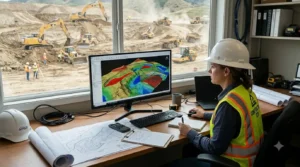
EarthWorks describes plan imports, cut-and-fill calculations, 3D visualization, and reporting on its website. Before making a decision, small contractors should confirm the current features, file compatibility, system requirements, and support directly with the provider. Review the EarthWorks overview. Use a trial to test a real project
If a free trial is available, use it to evaluate a real estimating task. Choose a plan your team understands and try the complete workflow, from importing the drawing through reviewing the takeoff.
During the trial, ask:
- Could the estimator complete the takeoff without repeated help?
- Were measurements easy to review?
- Did the software handle the plan format?
- Could the team create a useful report?
- Did the workflow save time or make the work clearer?
A trial helps you decide whether the software suits your actual process. It can also reveal questions you should ask before purchasing.