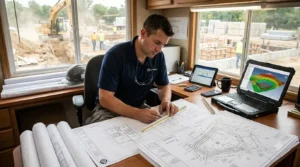
A civil bid package can contain dozens of sheets. The grading plan shows one part of the job. Road details, drainage drawings, utility plans, and specifications add more information. An earthwork estimator has to find the work their team will perform without missing a requirement or measuring another contractor’s scope.
That is where a focused takeoff process helps. Sitework civil takeoff software can support the measurement of grading and earthwork quantities from civil plans. But the estimator must first identify the right sheets, mark the work limits, and check how the drawings fit together.
This guide looks at that task from the earthwork contractor’s point of view. It shows how to move through a civil drawing package and prepare quantities that the bid team can review.
Start With the Scope, Then Open the Drawings
When plans arrive, it is tempting to open the grading sheet and start measuring. Read the bid scope first. It may define who handles site
clearing, excavation, fill, and other work. It may also exclude areas that still appear on the drawings.
Make a short list of the earthwork items your team must price. Then note the drawing sheets and specifications that describe each item. If the written scope and drawings appear to disagree, record the question for bid review.
This step matters because a civil plan set shows how many parts of a project fit together. It does not always show where one subcontractor’s responsibility ends and another’s begins.
For example, a roadway detail may show a new pavement section. Your scope may include earthwork beneath that pavement, while another contractor supplies and places the pavement materials. A takeoff that treats the full detail as your work would give the pricing team the wrong scope.
Which Civil Sheets Matter to an Earthwork Estimator?
The answer depends on the project, but the grading sheets alone rarely tell the whole story. An estimator may also need the existing site survey, demolition or clearing information, road profiles, details, and relevant specifications.
Start with the drawing index. Find the sheets that show existing ground and proposed elevations. Then look for notes that change the depth or limits of the work. Review any addenda before you settle on a final takeoff.
A simple sheet register can help:
| Document | What to check |
|---|
| Survey or existing conditions | Existing elevations and site features |
| Grading plan | Proposed grades, slopes, and work limits |
| Profiles and sections | Changes that may be hard to see in plan view |
| Details | Requirements for specific areas |
| Specifications | Material and placement requirements |
| Addenda | Revisions to any of the above |
Keep this register with the quantity report. A reviewer should be able to tell which plan version supports each major number.
If your team needs a wider view of the process, our guide to earthwork takeoff software explains how plan information becomes cut and fill quantities.
Define the Earthwork Boundary
A plan may show an entire development, even when the current bid covers only one phase. It may also show adjacent roads or future work. Mark the boundary of your earthwork scope before you calculate quantities.
Check the limits at road connections, property lines, building pads, and slopes. An edge that looks minor on the page can affect a large volume when the ground changes across that area.
Suppose a grading sheet shows a slope that runs beyond the first construction phase. The plan helps explain the final design, but the contract may require only part of that slope now. Your takeoff must follow the bid scope. If you cannot tell where the current work ends, ask for clarification.
Sitework civil takeoff software helps measure the area you select. It cannot decide the contract boundary on its own. Put the boundary and any assumption in your takeoff notes.
Read Plan Views Alongside Profiles and Sections
A plan view shows where work happens. A profile or section can make the change in height easier to understand. Use them together when you review a road, deep cut, or steep slope.
For example, a road may look like a narrow strip in plain view. Its profile could show a major change in grade along its length. If you look only at the road’s outline, you may underestimate how much ground the design changes.
Likewise, a section may show where one material layer or grading requirement begins. Check whether that requirement falls within your scope before adding it to the takeoff.
This is a good reason to keep the source sheet beside each important assumption. When the bid team asks why an area needs more work, the estimator can point to the plan and the related detail.
Check Existing and Proposed Ground
Cut and fill calculations compare existing ground with the proposed design. Where the proposed grade sits below existing ground, the plan calls for cut. Where it sits above existing ground, it calls for fill.
Autodesk’s cut and fill analysis tutorial shows this comparison using ground surfaces. The result depends on the surfaces and limits used for the calculation. www.autodesk.com
Check important elevations before you accept the total. Focus on building pads, parking areas, road connections, and the highest and lowest parts of the work. Then look at any place where the contours or grades change sharply.
You do not need to measure the whole job twice. A few checks at important points can reveal a wrong sheet, a missed elevation, or an area outside the work limit.
A Worked Example: One Plan Set, Two Scope Questions
Imagine an earthwork contractor pricing the first phase of a commercial development. The civil package shows a building pad, parking area, access road, and a drainage area near the property edge.
The estimator first marks the phase-one grading boundary. A slope on the grading plan continues into a later phase, so the team records where its current scope ends. The road profile then shows a deeper cut at the entrance than the plan view first suggests.
The initial earthwork calculation shows these illustrative quantities:
| Area | Cut | Fill |
|---|
| Building pad | 2,400 cubic yards | 700 cubic yards |
| Parking area | 900 cubic yards | 1,800 cubic yards |
| Access road | 1,300 cubic yards | 600 cubic yards |
| Total | 4,600 cubic yards | 3,100 cubic yards |
The total difference is 1,500 cubic yards more cut. That figure alone does not answer every bid question.
The team still needs to confirm whether the drainage area belongs in its scope. It also needs to review whether material from the pad and road cuts
can meet the fill requirements in the parking area. The takeoff gives the team clear quantities; the scope and material review tell it how to use them.
Keep Cut and Fill Separate
Watch for Addenda Across the Drawing Package
A revision may appear on a road profile while the grading plan keeps its earlier date. Another addendum may change a detail that affects the work under a pavement area. Review the full addendum list, not just the main grading sheet.
When you find a change, note which takeoff area it affects. Update the quantity and keep the earlier report for comparison. Tell the bid team whether cut, fill, or both changed.
A useful revision note says what the team needs to act on:
The revised access road profile changes the cut quantity in the entrance area. Update the earthwork takeoff and review the road pricing before submission.
This gives a colleague a clear task. It also creates a record of why the final bid uses a different quantity from an earlier draft.
Hand Over a Report the Bid Team Can Follow
The final takeoff should help someone else understand your work without starting it again. Include the plan dates, scope boundary, separate quantities, and open questions.
Point to the drawing when a quantity needs explanation. If a slope limit remains unclear, mark the area and note the assumption. If the team has not confirmed whether cut material can serve as fill, state that too.
EarthWorksOS describes plan import, cut and fill calculation, visualization, and project reporting on its software overview page. Use those outputs to support a reviewable earthwork takeoff. Do not treat them as proof that one product measures every item in a civil bid package. www.excavationsoftware.net
Once the quantities and scope are clear, the pricing team can review production, material movement, and costs. Our article on excavation estimating from plan to bid explains that wider workflow.
Frequently Asked Questions
Conclusion
A civil plan set contains more than an earthwork contractor needs to measure. The challenge is finding the right scope and connecting its drawings, details, and revisions.
Sitework civil takeoff software can help calculate and present earthwork quantities. The estimator makes those numbers useful by marking the contract boundary, checking key elevations, reading related sheets, and recording open questions. Give the bid team that context with the cut and fill report, and it can price the work shown by the current plans.